Triggering a deployment
PipeCD uses Git as a single source of truth; all application resources are defined declaratively and immutably in Git. Whenever a developer wants to update the application or infrastructure, they will have to open a pull request to that Git repository to propose the change. The state defined in Git is the desired state for the application and infrastructure running in the cluster.
PipeCD applies these changes by triggering deployments for affected applications. Each deployment synchronizes the running resources in the cluster to match the state defined in the latest Git commit.
By default, PipeCD triggers a new deployment when you merge a pull request. You can customize this behavior in your application configuration file (app.pipecd.yaml) to control whether and when deployments run.
For example, you can use onOutOfSync to automatically trigger a deployment whenever PipeCD detects a configuration drift and the application enters an OUT_OF_SYNC state.
Trigger configuration
You can configure when PipeCD triggers a new deployment. The following trigger types are available:
onCommit: Triggers a deployment when new Git commits affect the application.onCommand: Triggers a deployment when the application receives a SYNC command.onOutOfSync: Triggers a deployment when the application enters an OUT_OF_SYNC state.onChain: Triggers a deployment when the application is part of a deployment chain.
For the full list of options, see Configuration reference.
After a deployment is triggered, it is added to a queue and handled by the appropriate piped. At this stage, the deployment pipeline is not yet decided.
piped ensures that only one deployment runs per application at a time. If no deployment is currently running, piped selects a queued deployment and plans its pipeline.
The deployment pipeline is created based on the application configuration and the differences between the current running state and the desired state defined in the latest commit.
For example:
- If a merged pull request updates a Deployment’s container image or updates a mounted ConfigMap or Secret,
pipeddecides to use the specified pipeline for a progressive deployment. - If a merged pull request only updates the
replicasnumber,pipeddecides to use a quick sync to scale the resources.
You can configure piped to use the QuickSync or the specified pipeline based on the commit message by configuring CommitMatcher in the application configuration.
After the planning, the deployment will be executed as per the decided pipeline. The deployment execution including the state of each stage as well as their logs can be viewed in real time on the deployment details page on the Web UI.
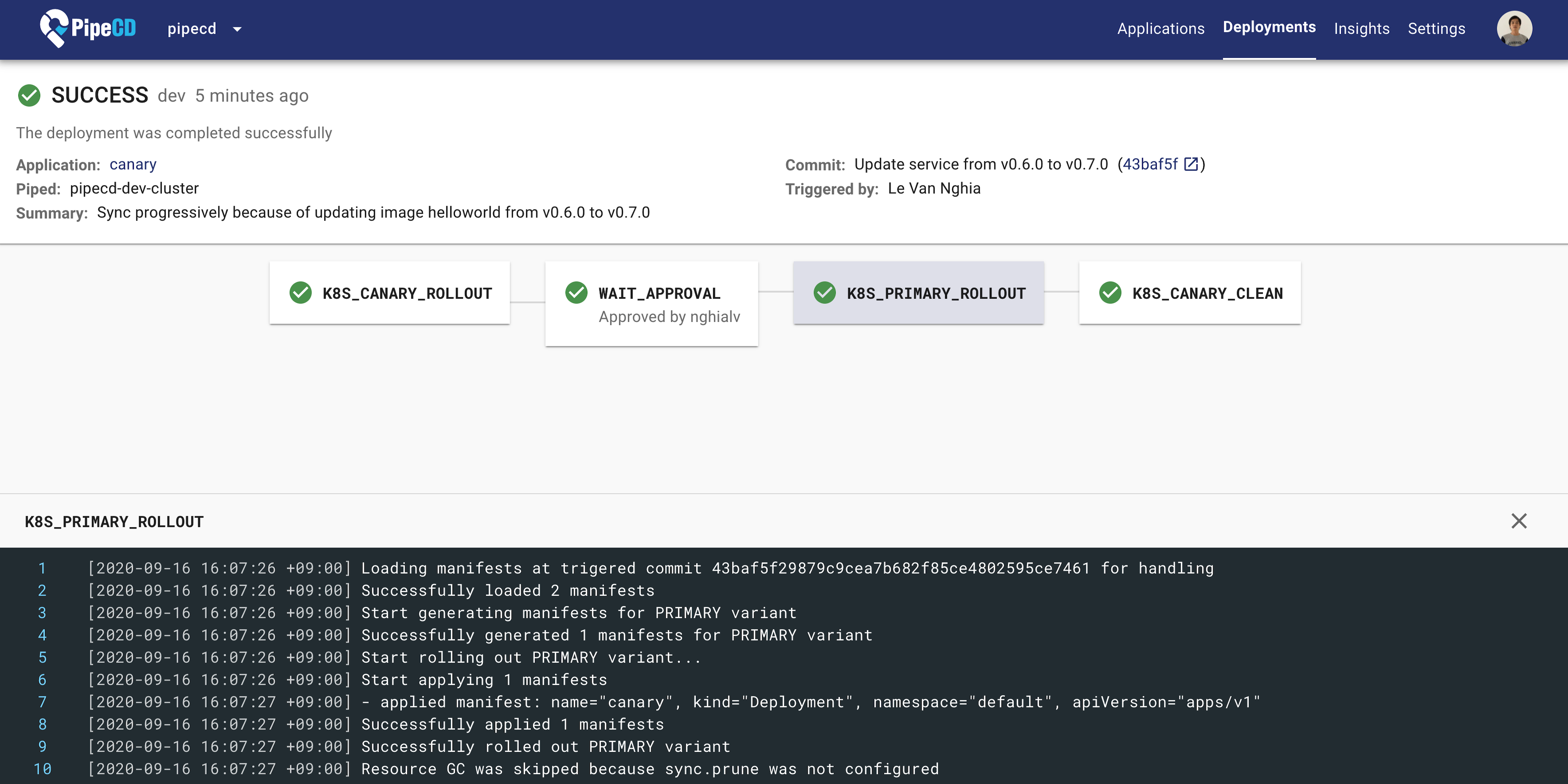
A Running Deployment at the Deployment Details Page
Although the deployments are triggered automatically by default, you can also manually trigger a deployment from the Web UI.
By clicking the SYNC button at the application details page, a new deployment will be triggered to sync the application to the latest state of the master branch (default branch).
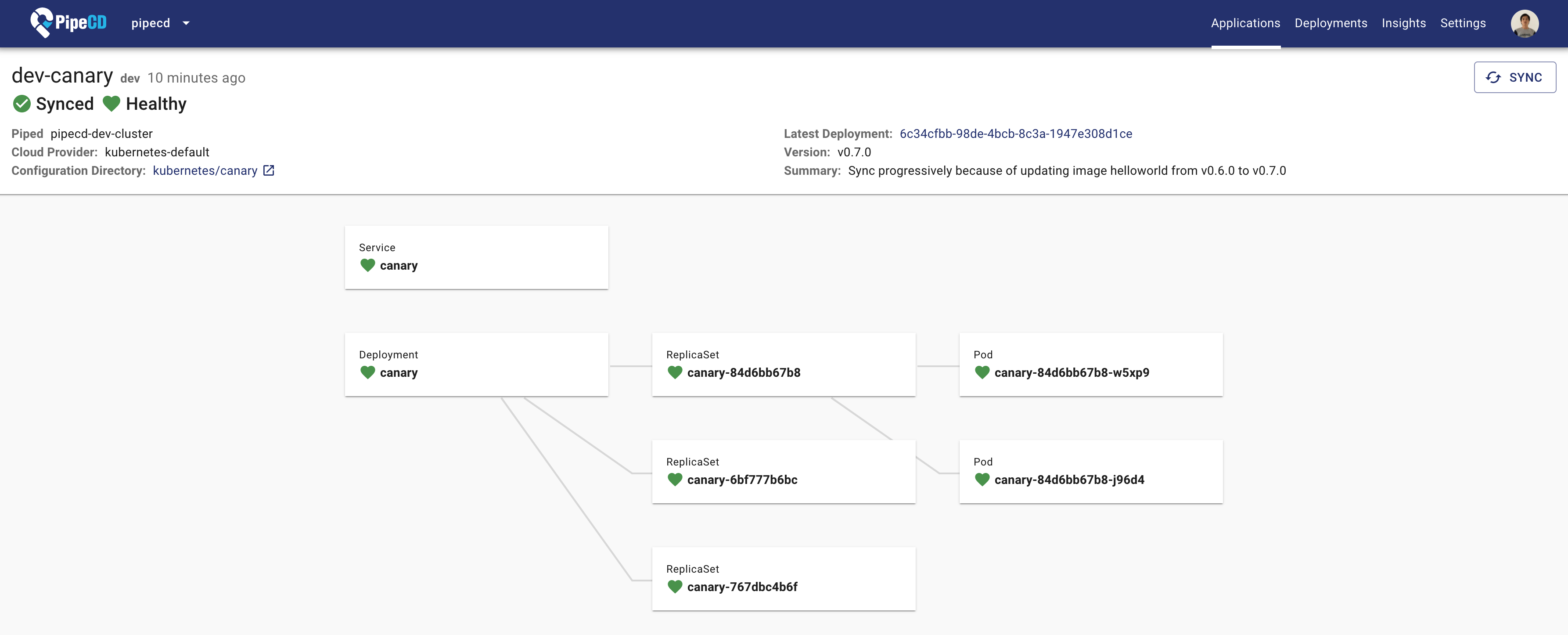
Application Details Page
Feedback
Was this page helpful?
Glad to hear it! Please tell us how we can improve.
Sorry to hear that. Please tell us how we can improve.
