Deployment Trace
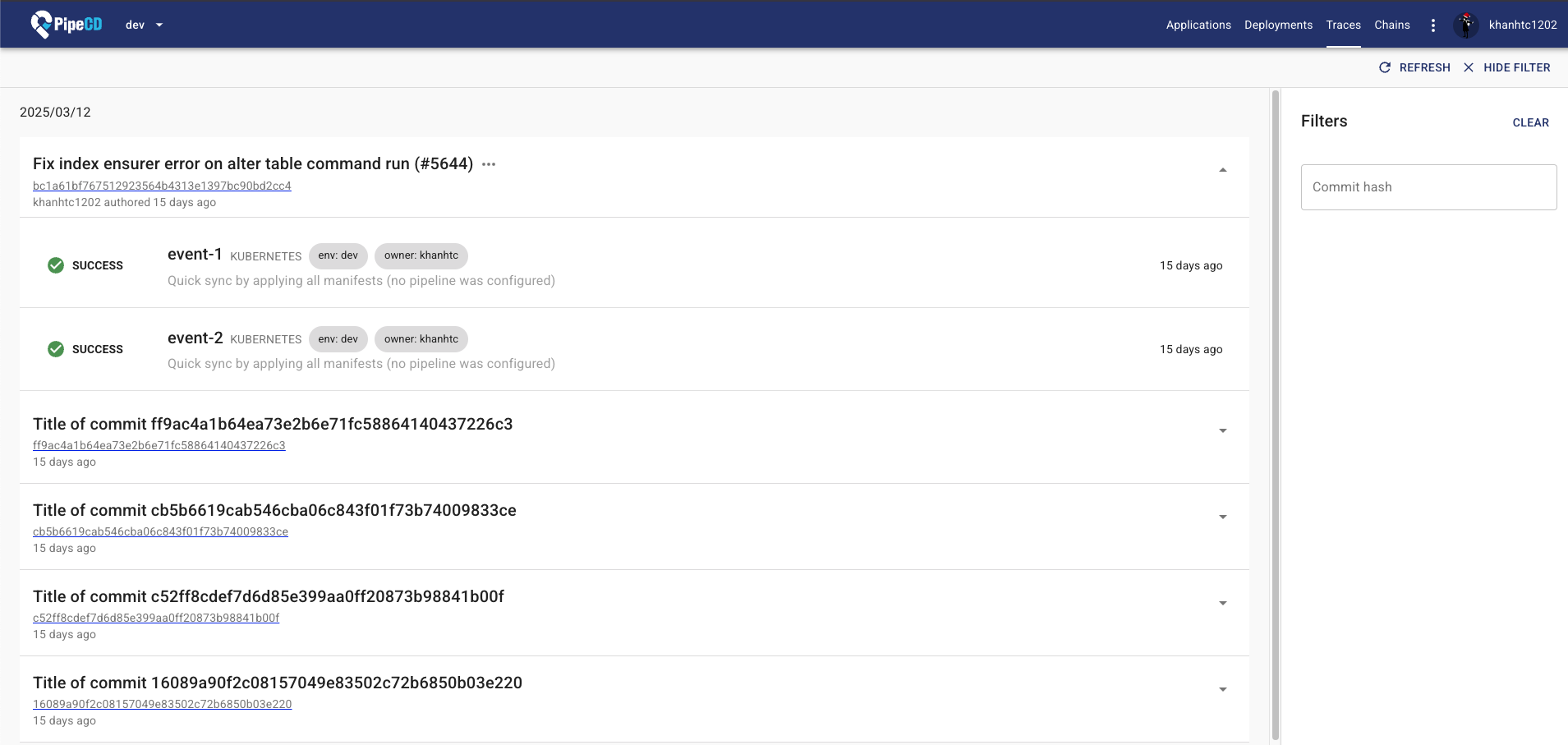
Deployment Trace links application code changes to the resulting deployments that reflect those code changes in the PipeCD Web UI.
When using PipeCD Event Watcher to trigger deployments, you can attach commit information as event data. PipeCD uses that information to create links between your application code commits and the triggered deployments.
Usage
Use the pipectl event register command:
pipectl event register [flags]
Flags:
      --commit-author string      The author of commit that triggers the event.
      --commit-hash string        The commit hash that triggers the event.
      --commit-message string     The commit message that triggers the event.
      --commit-timestamp int      The timestamp of commit that triggers the event.
      --commit-title string       The title of commit that triggers the event.
      --commit-url string         The URL of commit that triggers the event.
Note: Attach at least
commit-hashandcommit-urlas event data to use the Deployment Trace feature.
GitHub Actions
If you are using GitHub Actions in your CI workflow, use actions-event-register to register events without any installation.
Feedback
Was this page helpful?
Glad to hear it! Please tell us how we can improve.
Sorry to hear that. Please tell us how we can improve.
